
Backups
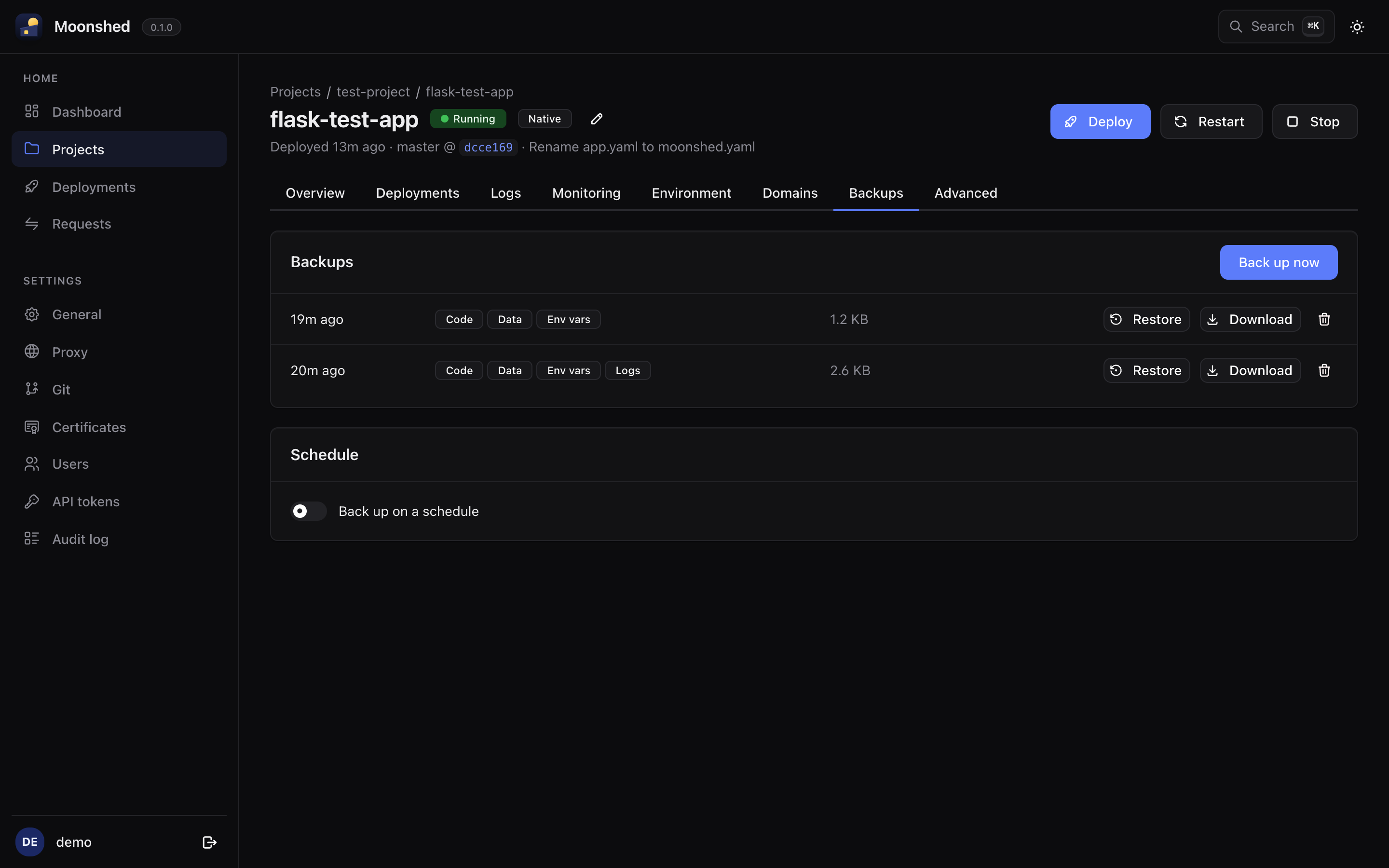
App backups
An app backup can include any of four parts:
- Code: the deployed version.
- Data: the persisted paths.
- Env vars: the app's Environment tab.
- Logs: app logs and the deploy log.
The archive unpacks to a folder that looks like the app itself, so you can read it without Moonshed:
myapp_2026-10-18_03-00-00.tar.gz
└── myapp/
    ├── app.py, moonshed.yaml …   code, exactly as deployed
    ├── data/, config.ini         persisted paths, in their real place
    ├── .env                      env vars as KEY=value
    └── .moonshed/
        ├── logs/
        └── backup.json           what's included, release, commit, time
If the code has its own .env, the env vars go in .env.moonshed instead.
Making backups
On the app's Backups tab:
- Back up now asks which parts to include.
- Back up on a schedule takes a cron expression in server time, such as
0 2 * * *for 2:00 every day, its own choice of parts, and how many backups to Keep.
Restoring
Restore offers the parts the backup has:
- Data replaces the persisted paths. The app is stopped while that happens.
- Env vars replace the Environment tab.
- Code is deployed as a new deployment, even if that version is no longer among the kept versions.
Logs are only for download.
WARNING
A downloaded backup that includes env vars has them in plain text in .env.
Platform backups
Moonshed backs up its own database too, with the key that decrypts its secrets. Make one or set a schedule under Settings › General › Platform backups.
To restore, stop Moonshed and extract the archive into runtime/data/.
Where backups live
Everything is under runtime/backups/: apps/<app>/ for app backups and platform/ for the database. Copy that folder off the server if you want backups to survive losing it.