
Deploy your first app
This walks through deploying a small Flask app as a native process. The same app is in the repository at examples/python-app.
1. Describe the app
Put a moonshed.yaml at the root of the app:
pre: |
  python3 -m venv .venv
  .venv/bin/pip install --cache-dir "$CACHE_DIR/pip" -r requirements.txt
run: .venv/bin/python app.py
port: 8000

persist:
  - data/

health:
http: /healthzpreruns on every deploy, before the app starts. Install dependencies and run migrations here.runstarts the app. It must stay in the foreground.portis the port the app listens on. Moonshed passes it to the app as$PORT.persistkeepsdata/across deploys instead of starting fresh each time.healthis checked after the app starts. The new version only replaces the old one once it passes.
The app reads its port from the environment:
app.run(host="0.0.0.0", port=int(os.environ["PORT"]))Every key is optional, and anything you set here can also be set in the UI. See the moonshed.yaml reference for all of them.
Docker instead?
If the app has a Dockerfile and no run command, Moonshed builds and runs it in Docker. See Docker apps.
2. Create the app
In the panel, click New app, give it a name (lowercase letters, digits and dashes) and pick or create a project. Under Deploy from, choose:
- Zip upload to upload the code yourself,
- GitHub to pick a repository through the GitHub App (see Git and webhooks), or
- Git URL for any other git host.
3. Deploy
Click Deploy. For a zip app, drop the zip of your app folder into the dialog. For a git app, Moonshed clones the branch.
The deployment shows up on the Deployments tab with a live log. Moonshed:
- unpacks the code into a new release folder,
- links the
persistpaths, - runs
pre, - stops the old version, if there is one,
- starts the new one and waits for its health check,
- marks the deployment successful, or starts the old version again if it failed.
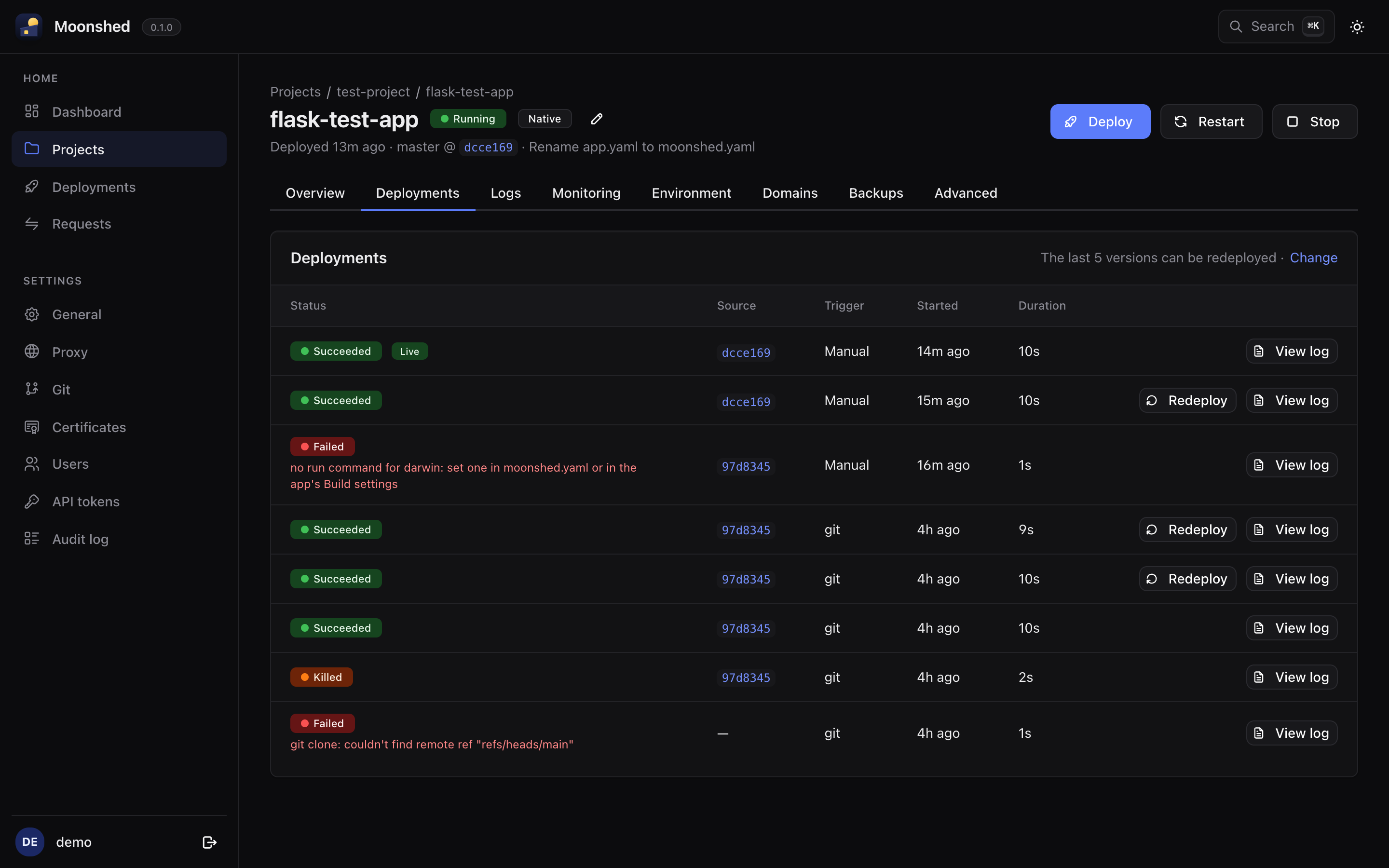
The app is now running on port 8000 of your server. To give it a domain with HTTPS, see Domains and HTTPS.
What to do next
- Set env vars on the Environment tab. They are encrypted at rest. Restart the app to apply them.
- Turn on automatic deploys on push: Git and webhooks.
- Deploy from your CI pipeline: Deploying from CI.