
Deployments and rollbacks
What happens on a deploy
- Source. A zip is uploaded or the repository is cloned. Either way it's stored as a bundle.
- Unpack into a new release folder. Moonshed reads
moonshed.yamland applies the app's UI settings on top. - Link the
persistpaths fromshared/. - Build: run
pre, or build the Docker image. The old version keeps running meanwhile. - Stop the old version.
- Start the new version on the app's port.
- Health check until it passes or times out. Without a health check, the app only has to still be running after 5 seconds.
- On success: run
post, delete the old release folder and prune old bundles. - On failure: stop the new version, start the old one again and mark the deployment failed.
Each app has one port, so there's a short gap between stopping the old version and starting the new one.
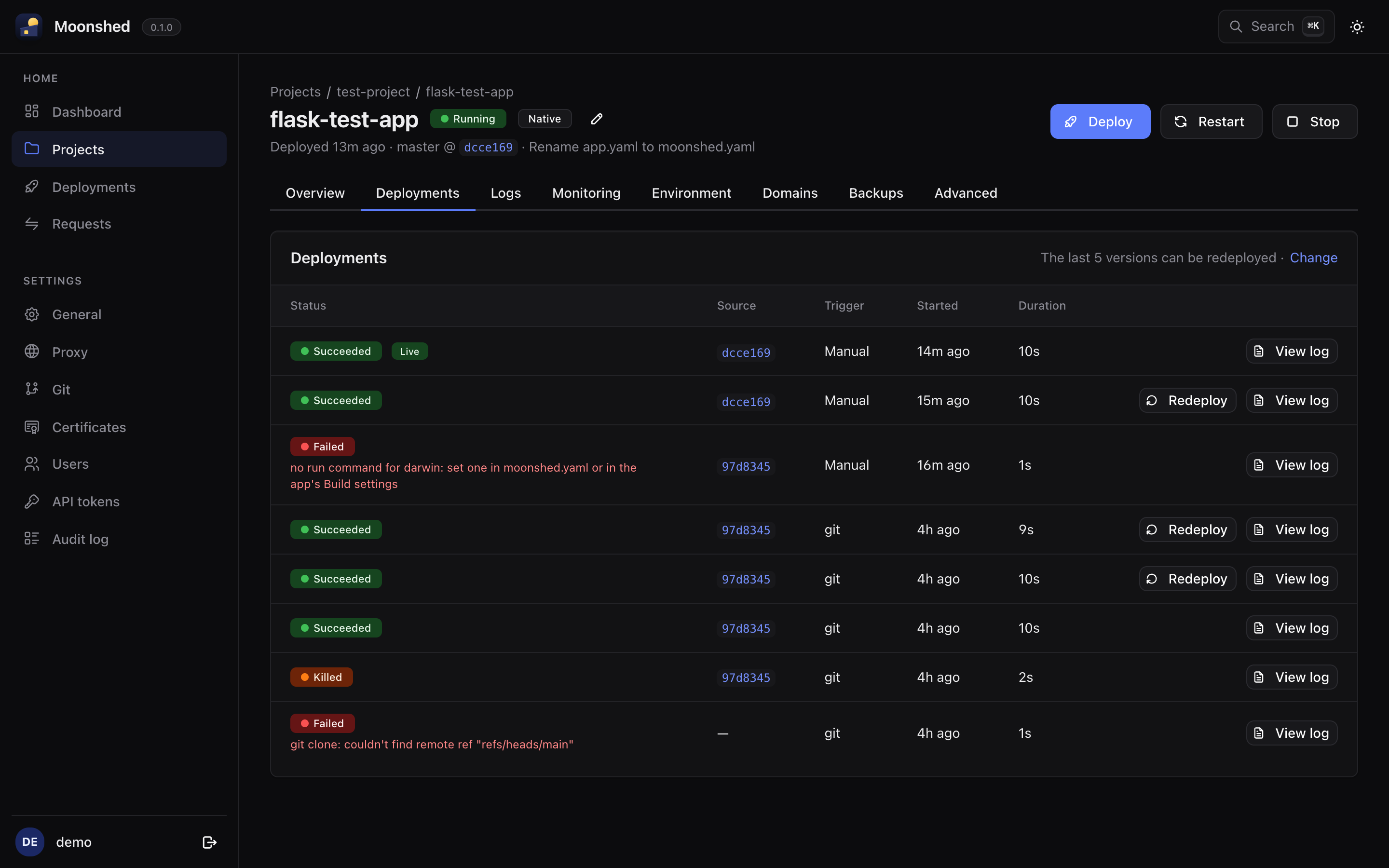
Statuses
A deployment goes queued → building → starting, then ends as success, failed or killed.
Builds run one at a time by default, which suits small servers. Raise concurrent_builds in the configuration file to run more. A running build can be stopped with Kill build, which kills its whole process tree.
Every deployment has its own log, streamed live while it runs. The Deployments page in the sidebar lists deployments across all apps.
Rolling back
Moonshed keeps the bundles of the last few deployments, five by default. Change that with Versions to keep on the app's Deployments tab.
To roll back, click Redeploy on an earlier deployment. It goes through the full deploy again, including pre, so the old version is built the same way it was the first time.
Logs
App logs are written to one file per day, also rotated at 50 MB, and shown live on the Logs tab. Set how many days to keep on that tab. When a live view opens, it starts with the end of the newest file, so it isn't empty after a restart.